
Website speed is one of those things that most business owners don't think about until it becomes a problem. But by the time you notice people aren't staying on your site, slow loading has already cost you. The visitors who left because of it didn't send you a message to explain why — they just left.
The Numbers You Need to Know
Google's research gives us some clear benchmarks that every website owner should understand:
- Under 1 second: Excellent. Users barely notice the load. Conversion rates are at their highest.
- 1-3 seconds: Good. Most users are fine with this, though you may lose some on mobile.
- 3-5 seconds: Average. You're starting to lose visitors. About 40% of users abandon a page that takes more than 3 seconds to load.
- Over 5 seconds: Serious problem. More than half your visitors are leaving before the page finishes loading.
The mobile reality: Mobile networks are slower than WiFi. A website that loads in 2 seconds on desktop might take 6-8 seconds on a 3G mobile connection. Always test on mobile, not just desktop.
 Understanding your Core Web Vitals is the first step to a faster site
Why Speed Affects More Than Just User Experience
Slow websites don't just frustrate visitors — they actively hurt your business in several measurable ways.
Search rankings. Google uses page speed as a direct ranking factor. A slow website ranks lower in search results, meaning fewer people find you in the first place.
Conversion rates. A 1-second delay in page load time reduces conversions by 7%. If your site makes 10 sales a week and you improve loading by 2 seconds, you could gain an extra sale or two every week — from the exact same traffic.
Bounce rate. Slow load times directly increase bounce rate — the percentage of visitors who leave without clicking anything. A high bounce rate tells Google your site isn't worth recommending, creating a negative spiral.
The Most Common Causes of Slow Websites
Most slow websites suffer from one or more of these problems:
- Unoptimized images. This is the single most common cause. A photo taken on a modern phone can be 4-8MB. Even three of those on a page makes it extremely slow. Images should be compressed to under 200KB each for web use.
- Too many plugins. WordPress websites with 20+ plugins often load slowly because each plugin adds code that needs to run. Audit your plugins and remove any you don't actively need.
- No caching. Caching stores a version of your page so it doesn't have to be rebuilt from scratch for every visitor. Without it, your server works much harder than it needs to.
- Cheap or shared hosting. The hosting plan you're on directly affects speed. Very cheap hosting puts hundreds of websites on one server, and they all compete for the same resources.
- Render-blocking scripts. JavaScript and CSS files that load before the page content slow down the perceived load time significantly.
How to Check Your Website Speed Right Now
Two free tools that give you accurate, actionable results:
- Google PageSpeed Insights (pagespeed.web.dev) — Enter your URL and get a score out of 100 with specific recommendations. Aim for 90+ on both mobile and desktop.
- GTmetrix (gtmetrix.com) — More detailed breakdown of exactly what's slowing your site down, with waterfall charts showing how each element loads.
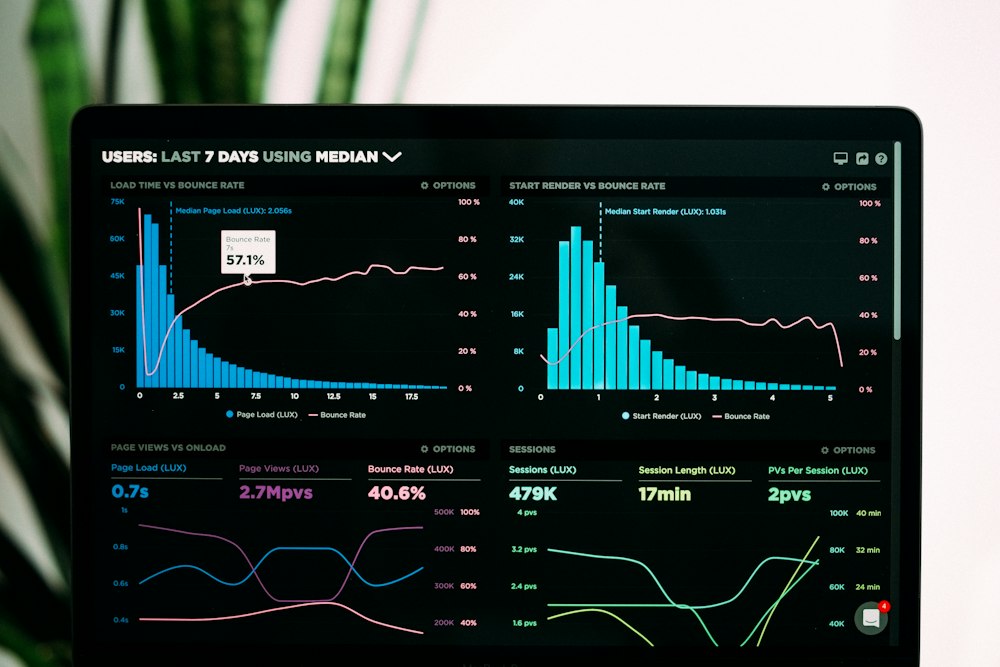 Regular speed testing should be part of every website owner's routine
Quick Wins You Can Do Today
If you want to improve your speed without a full technical overhaul, start here:
- Run all your images through Squoosh.app (free, by Google) to compress them without visible quality loss.
- Enable lazy loading on images — they only load when a user scrolls to them.
- Remove any plugins, scripts, or third-party widgets you don't actively use.
- Consider moving to a faster host. Vercel and Netlify are free for static sites and are significantly faster than most budget shared hosting.